Fallout: London – v2.31 Revision 2 + Recommended Mods & Tools
Fallout: London – v2.31 Revision 2 + Recommended Mods & Tools
#4644 Fallout: London v2.31 Revision 2 + Recommended Mods & Tools
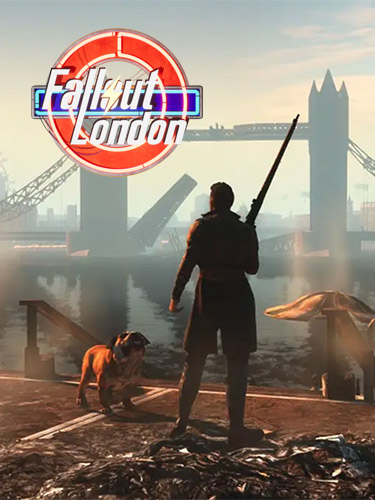
Genres/Tags: Action, Shooter, RPG, 3D
Companies: Bethesda Game Studios, Team FOLON
Language: ENG
Original Size: 67.7 GB
Repack Size: 37.9/39.6 GB
Download Mirrors (Direct Links)
- Filehoster: DataNodes (Speed & Usability) [Use IDM]
- Filehoster: FuckingFast (REALLY Fucking Fast 🙂 )
- Filehoster: MultiUpload (10+ hosters, interchangeable) [Use JDownloader2]
- Filehoster: OneDrive (Uploaded by DyR0 t(-_-t), compatible with torrent mirrors)
Download Mirrors (Torrent)

Game Updates – Direct Links only
patch_fallout_london_2.31_Revision2_(75054)_to_V1.01_IV2.31R3_(75422).rar (Source: GOG)
- Unpack RAR and run EXE
- When update finish, DO NOT press “Play” – using mod’s installer will wipe the game installation!
- Quit the updater and go to “Data” folder of the game
- Run “LondonWorldSpace – ClearUp.bat”
- Go back to the game root and run the game with “f4se_loader.exe” (may require two runs)
Discussion and (possible) future updates on CS.RIN.RU thread
Screenshots (Click to enlarge)





Repack Features
- Based on GOG Fallout 4 GoTY Edition v1.10.163.0: 32.2 GB
- Fallout London GOG v2.31 Revision 2 (33.1 GB) installed over
- Mods, recommended by Team FOLON along with Mod Organizer & Vortex mod managers (2.4 GB total) added and available as an optional download
- Registry entries and files, neccessary for the mod to run automatically created and copied
- 100% Lossless & MD5 Perfect: all files are identical to originals after installation
- NOTHING ripped, NOTHING re-encoded
- Selective Download feature – you may skip downloading and installing of recommended mods and tools
- Significantly smaller archive size (compressed from cumulative 67.7 to 37.9/39.6 GB)
- Installation takes 16-45 minutes (depending on your system and selected components)
- After-install integrity check so you could make sure that everything installed properly
- HDD space after installation: up to 67.3 GB
- Repack uses XTool library by Razor12911
- At least 2 GB of free RAM (inc. virtual) required for installing this repack
- Existing “C:\Users\Your Username\AppData\Local\Fallout4” folder is renamed to “C:\Users\Your Username\AppData\Local\Fallout4.backup” upon installation
- Existing “C:\Users\Your Username\Documents\my games\Fallout4” folder is renamed to “C:\Users\Your Username\Documents\my games\Fallout4.backup” upon installation
- If the game crashes for you once launched via desktop icon, use “Fallout – London Settings” icon, change settings and run the game once via the launcher. Then the crash should disappear
- If the game/mod still don’t run properly, manually create “C:\Users\Your Username\AppData\Local\Fallout4” folder and copy files from game’s “__AppData” folder and then create “C:\Users\Your Username\Documents\my games\Fallout4” folder and copy files from “__Config”


Comments
Post a Comment